



Table of Contents
Introduction What is a Cyber Attack? Why You Need Digital Safety and Why Hackers Attack? What are the different types of Cyber Attacks? A. Phishing B. Malware (Bad Software) C. Ransomware D. Password Attacks E. DDoS Attacks How to Protect Yourself Pillar 1: Keeping Strong and Unique Passwords Pillar 2: Turn Two-Factor Authentication on Pillar 3: Perform Regular Software Updates Pillar 4: Be Digitally Aware How to Know You Are Safe ConclusionIntroduction
Online safety is just as crucial as physical safety. Think of your online presence as your home; even with doors locked, you could overlook a window. Hackers operate like online intruders, searching for vulnerabilities. Protecting yourself requires awareness of threats to both your physical and digital life.
Much of our lives is now online—personal details, daily habits, and essential information. As people use laptops, tablets, and computers everywhere, the risk of online invaders grows. Unlike physical attackers, these digital threats target your online information.
People store so much important data online and on their screens. Hackers aim to find ways to poke their systems and break in. People should be aware of every possible way to prevent a cyberattack. This article will act as a guide. It will walk you through the online world and explain different types of Cyber Attacks.
What is a Cyber Attack?
If you want to protect yourself from a Cyber Attack, you must know what a cyber attack is. Cyber Attack is made up of 2 words- “Cyber” and “Attack”. “Cyber” refers to anything that is related to the internet. This includes computers, laptops, tablets, and even the game consoles used by gamers.
The word “Attack”, in the real world, refers to harm. Whereas in an online world, a “Cyber Attack” refers to when someone tries to break into your computer, laptop, tablet, or other electronic devices to steal the data stored inside. The person breaking in is called a “Hacker”.
Therefore, if you search or discuss different types of cyber attacks, you are searching for different types of ways a hacker might use to steal your data and gain control over your computer and your digital services.
Why You Need Digital Safety and Why Hackers Attack?
Ever wondered why these hackers attack? Why would someone with such great technical skills spend their time stealing from people or committing online crimes? If you understand their aims, mindset, and intentions, you will understand the importance of Digital Safety. Hackers target everyone, government buildings, and normal people.
Before understanding different types of cyber attacks, you must understand why these attacks happen. There are 3 main reasons a hacker attacks:
1. Stealing Money
Money is the most common reason of 90% crime happening. Stealing money is the most common reason why hackers choose unethical ways to commit a crime and break into computers.
2. Stealing Secret Information
Someone’s personal information is highly valuable. Hackers aim to use that information to extort you. Hackers try to steal information like your name, address, your age, your passwords, your pictures, and your account details. They sell this data to other big and unethical companies that misuse this information for their own advantage.
3.Causing Disruption
Some hackers do not have a single motive for committing online crimes. They just want to create a mess among people. They might hack a hospital’s website so that the system would get disrupted, or might break into a school’s website just to create a disruption.
Also Read: How to Become a Cyber Security Specialist
What are the different types of Cyber Attacks?
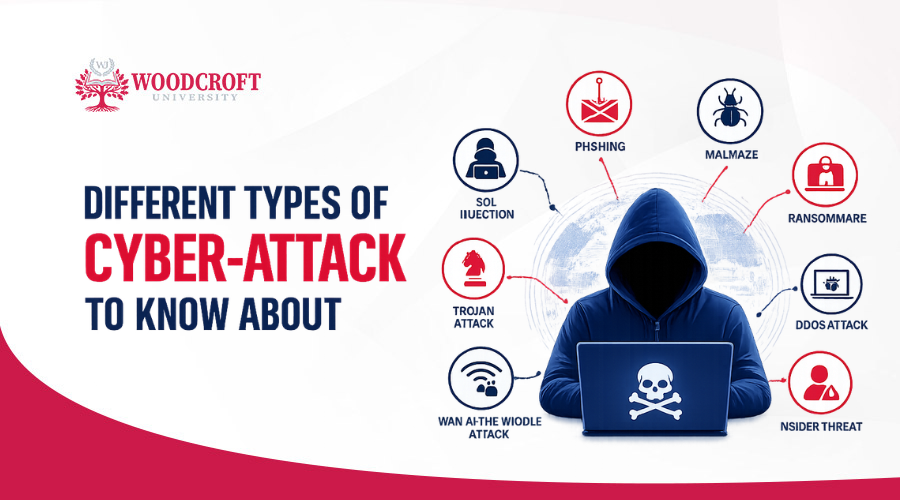
Now, let’s discuss the biggest fish in the net. The main question is what the different types of cyber attacks are? There are 5 types of Cyber Attacks in the market:
A. Phishing
Have you ever gone fishing? “Phishing” is similar to “fishing, just that this time, instead of catching a fish, the hackers catch you.
In Phishing, you will receive a fake email from a hacker, probably a text message, or a chat message that will look completely authentic. It will look the same as a message from your applications, school, business, or bank. This message will claim an emergency. It might say: "Your debit card needs to be updated. Click on this link to update it online.” If you click on that link, it will either take you to a fake website that looks the same as the real one, or you will directly lose your money or data.
B. Malware (Bad Software)
If you think you can prevent yourself from Cyber Attacks by just avoiding spam links, you are wrong. There are many types of Cyber attacks. The hacker knows multiple ways to enter your system. Here comes the next Cyber Attack- Malware. It is made up of two words: “malicious” (which refers to bad) and "software" (which means computer programmes). So, malware simply refers to bad software.
A hacker hides malware in your computers or smartphones through pictures, videos, or applications. As soon as you download it, the malware will enter your device. It will secretly capture your daily things, everything you do, and will provide that information straight to the hacker.
C. Ransomware
Ransomware is a unique and very dangerous type of malware. It will act like a digital kidnapper to you.
If you mistakenly click a scam link or install a malicious file, ransomware will make its way to all the data on your computer instantly. It will gain access to all your pictures, important files, and secret information, and it will all be locked up. A big message might pop up on your screen saying: "All your files are locked. If you want to unlock them, you will have to pay a certain amount." This payment demand is called a ransom.
D. Password Attacks
Everyone secures their account with a password. There are different forms of Cyber Attacks, and passwords are the first target of every hacker. In a password attack, Hackers guess a computer’s password fast till they guess the correct one. This attack has specifications. It will be harmful for you only if you choose easy passwords.
If you use a very simple password like “123456” or “abcdefg”, to remember it easily, the hacker will guess the password in less than one minute. Once they guess it, you will lose all control over your data and the computer.
E. DDoS Attacks
DDoS stands for Distributed Denial of Service. This sounds complex, but it is very simple to understand. Imagine a local waffle store that can only fit 10 people at once. Now, a prankster hires 800 people to run into the shop at the same time, and buy nothing till the shop closes down due to the excessive crowd.
DDoS attacks do the same thing to computers. In this, a hacker will use various faulty computers to flood a specific website with fake visits all at once. These sudden fake visits will shut down the system and website together, and it will be difficult for the real users to access the website.
How to Protect Yourself
Now, after the discussion about different types of Cyber Threats, it is time for you to understand the protection measures also. You must understand and adapt the following pillars of Digital Safety:
Pillar 1: Keeping Strong and Unique Passwords
Your password is the very first measure to defend yourself against Cybercrime. It protects your entire computer system. It acts like the main lock of your house. The entire safety depends on this. Here are some tips
Create a long password:
While creating a password, make sure it has at least 12 characters. Do not choose small or short passwords. They are very easy to track.
Create a unique password:
After creating a long password, do not get too relaxed there. Make it unique. Try to rephrase it. For example, do not choose passwords like “1234red” or “abcdname”. This will become very easy for the hacker to guess. Also, make sure to use different passwords for different websites, so that you can save yourself from all types of Cyber Attacks. If, unfortunately, any data gets hacked, you will still have some of it saved that you secured with a different password.
Pillar 2: Turn Two-Factor Authentication on
Have you ever put 2 locks on your main door? This trick is used by lots of people to confuse, panic, and make it difficult for the thief to break in. Two-Factor Authentication works the same as the double lock system. For different types of Cyber Attacks, there are also different types of prevention.
In Two-Factor Authentication, you set your password along with other ways to check twice if it is you who wants to enter the system. For example, you put your email in the Two-Factor Authentication, after putting your password, the website asks for a code sent to your email. This way you’ll get to know someone who tried to break in and can get aware.
Pillar 3: Perform Regular Software Updates
Your system sends you a message on an average basis saying, “your software needs to be updated”. Many people ignore this and get busy with their scrolling and gaming. This is a big mistake. Imagine your house windows are getting weak and you do not renovate them. It will become so easy for any thief to break in. If your software is weak, the hacker will very easily hack it.
Big companies like Google, Apple, and Microsoft find loopholes in their software that hackers use to break into the system. After finding the hole, they sent an emergency message to phones saying that you need to update your software. Updating your software on time means strengthening your computer safety. It will prevent you from different types of Cyber Attacks.
Pillar 4: Be Digitally Aware
The most crucial pillar is ultimately your brain. Most cases of Cybercrimes are seen to be through phishing. Seeing a message on your screen plays with your brain and panics you. If you receive an email, a message, or a download link, apply the Pause Test:
Who sent this? Do you know them in real life?
Are they rushing you? If the message emerges "Click this or this will expire," it is most probably a trick.
Is it sounding too good to be true? If a link is offering you a free subscription to a certain website, it is definitely a scam. Why would a link, out of nowhere, give you a pricey subscription for free?
How to Know You Are Safe
There are different forms of Cyber Attacks. These attacks play with your intelligence. So, after applying all the safety measures, you must know that you are not missing out on anything and are actually safe. Companies use specific sales numbers to determine their success. In the online world, you can also use the following ways to measure if you are going right with Digital Safety.
-
Count Your Reused Passwords:
You must count how many times you have used the same password. Keep a count of how many of yours have the same passwords. Try to use different passwords for different websites. For different types of Cyber Crime, there must be different types of passwords.
-
Check your Update Status:
You must be aware of your digital status. You must keep your system updated and check on an average basis if you have updated the software.
-
Perform The Two-Factor Authentication Check:
Two-Factor Authentication is very important in the Cyber world. You must check your important websites, like Google, gaming sites, or social media, to ensure that their Two-Factor Authentication is turned on.
-
Count Your Suspecious Link Rate:
Sit down with your computer or your mobile phone, and think about how many times you have received scam links. If the number seems to be decreasing comparatively, it is great, but if it is the same or seems to be increasing, then it is concerning, and you must re-check your measures.
If you use these methods to check your Digital Safety once a month, you will get an idea about your Cyber safety, and you will know if you need to do something more to keep your devices safe.
Also Read: Career in Cybersecurity Roadmap
Conclusion
The internet is one of the best things to exist. It will help you in so many ways. It will act as a guide in your journey to start a business, start any course, or start any digital journey. But there are different types of cyber Attacks happening on the internet. This makes the internet a risky place, too.
You do not need to panic or get scared of these traps online. You just need to understand all about Cyber Safety and its prevention. Once you understand all types of Cyber Attack, it will be very easy for you to enjoy your digital life without any hesitation or fear.
Frequently Asked Questions
"I am Brandon Johnson, a professional content writer who creates informative content about online education, digital learning platforms, and career-focused courses. I aim to help readers find the best opportunities in modern education."
Brandon Johnson